The Attendee App
An Event App You Can Launch in Under Five Minutes
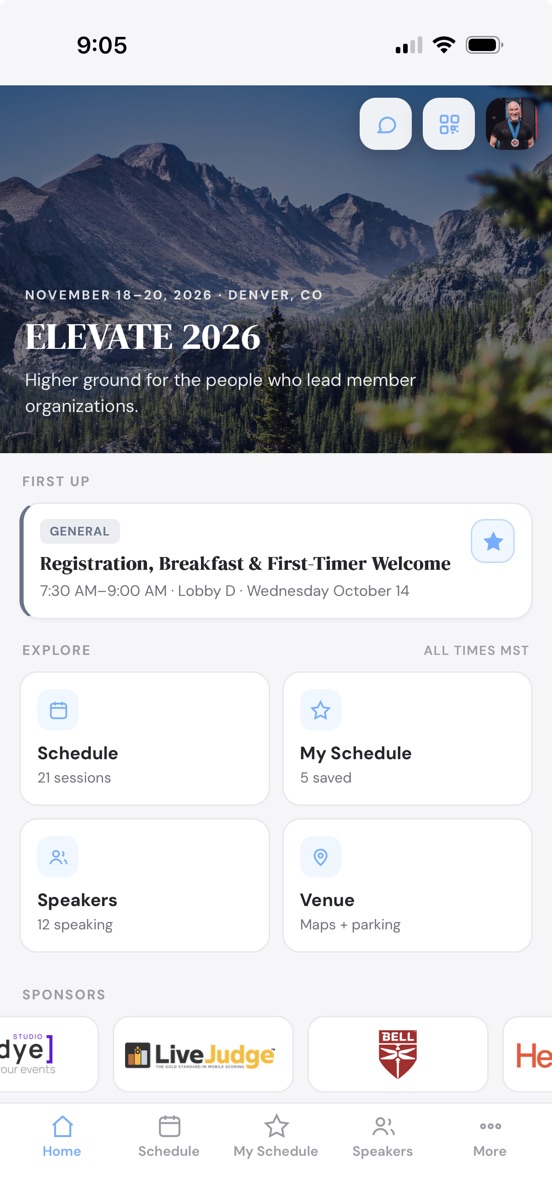
Your agenda, speakers, sponsors, and venue are already in the builder. Turning the app on reuses every one of them, so there is nothing to rebuild, nothing to submit to an app store, and nothing for your attendees to install.

Live Bulletins, Straight to the Lock Screen
Room change, weather delay, keynote running late. Post it once and it pushes to every attendee's phone, even with the app closed.
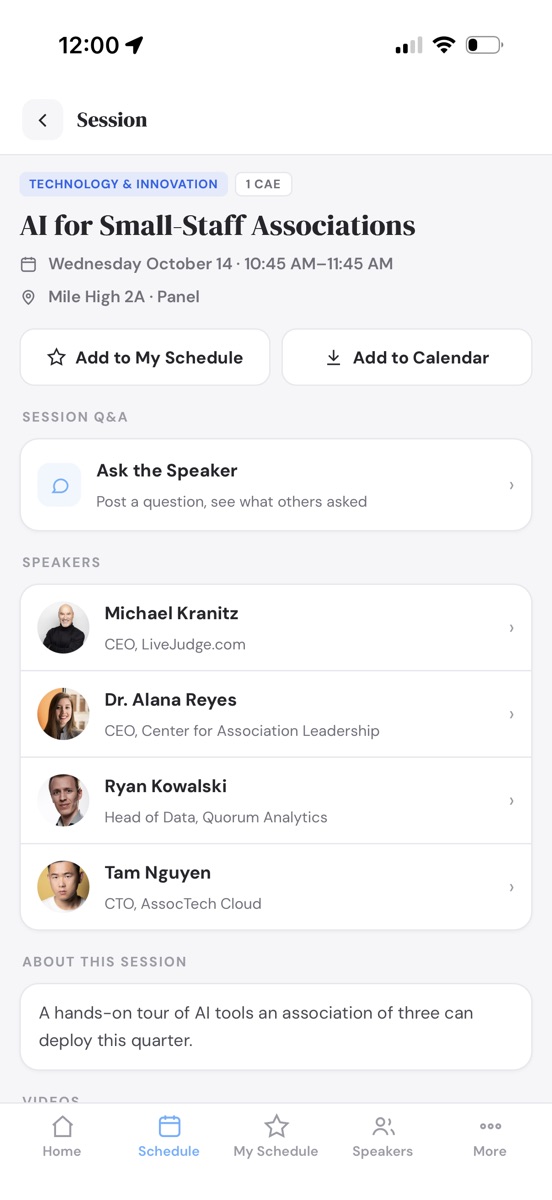
Speaker Q&A You Control
Attendees ask from their seat. Questions land in a private bullpen where your moderators publish the good ones and mark them answered, or you let them post straight through.
Attendees Message Each Other, Privately
An opt-in directory of who else is in the room, searchable by name, company or industry. Start a conversation and it lands on their phone as a notification. No mobile number and no email address changes hands to do it.
A Personal Agenda in One Tap
Star the sessions that matter to build My Schedule, then drop the whole thing into Apple or Google Calendar at once.
The Whole Program in Their Pocket
Multi-day agenda with tracks, rooms, and credits, plus speaker bios, venue maps, hotels, resources, and FAQ. It caches itself, so a packed ballroom with weak wifi still opens the schedule.
Your Icon on Their Home Screen
Choose the artwork, the backdrop color, and the label. Attendees scan a QR code and add it in two taps. No app store review, no download, no update to chase.
Sponsors Get Real Estate
Logos ride along on the app home screen and on their own page, which gives you inventory to sell that your last event did not have.
Included with Per Event and the Annual plan. The app publishes to your own address at yourevent.wdyehost.com/app and updates the moment you edit the site.
The Rest of the Studio
Fourteen More Jobs It Does for You
Every one of them is part of the same studio and the same per-event price. See all fifteen on the home page.